Product
How ESL-Easy connects your till with electronic shelf labels, from architecture to mixed operation.
What sets ESL-Easy apart
No ongoing license fees
The pricing model has no ongoing software license fees.
Installed on your hardware
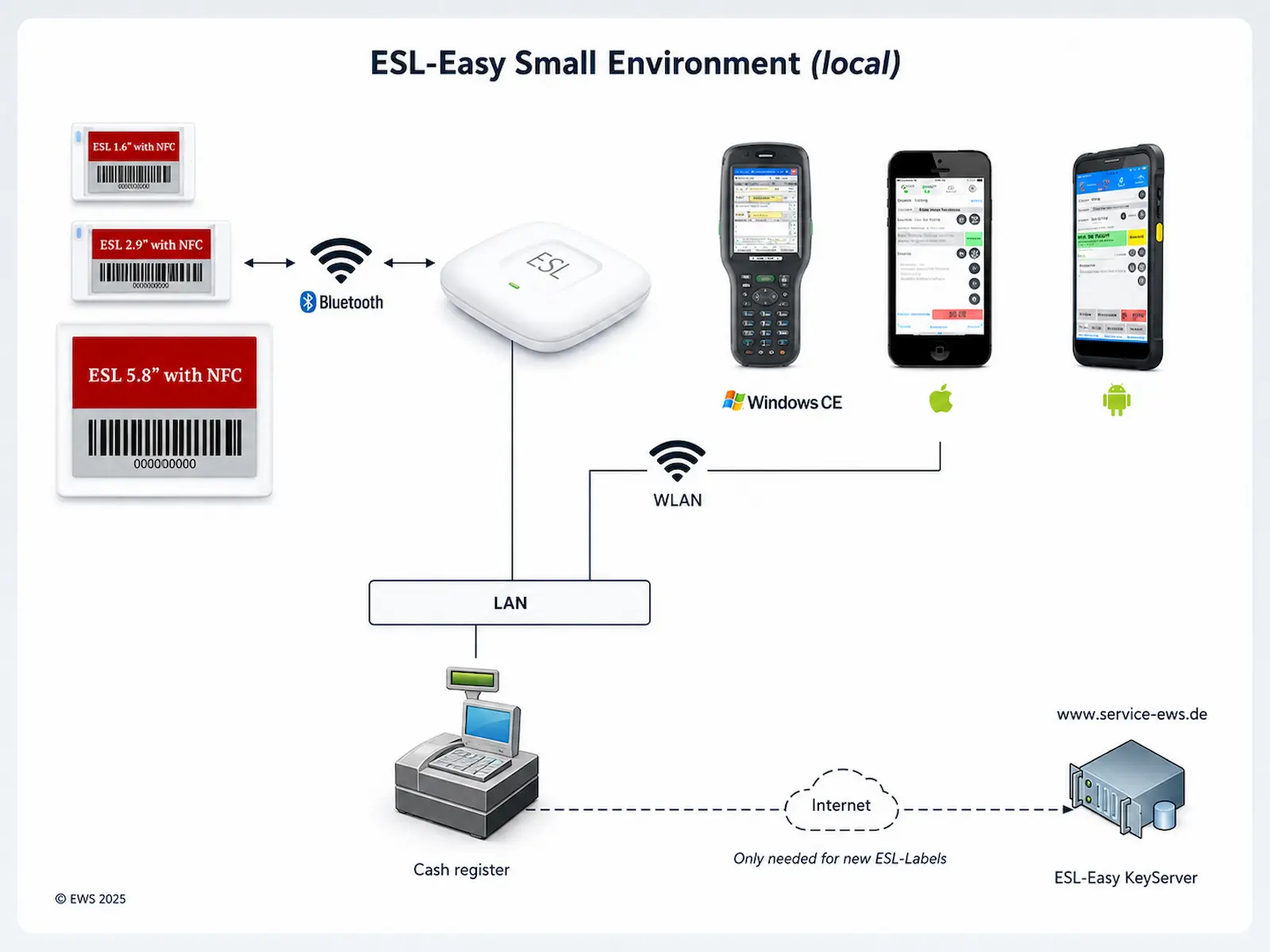
ESL-Easy runs entirely on your own hardware. No cloud connection is required for ongoing operation. For some manufacturers, a one-time connection to the EWS key server is required when new labels are registered for the first time.
Manufacturer-independent software
Depending on the supported manufacturer, ESL-Easy communicates with ESL hardware natively or via the manufacturer's interface.
Installation via copy and paste
No overhead from third-party software: installation is done simply via copy and paste.
Roll-out alongside daily business
Roll-out can proceed step by step during ongoing operations; stores can be converted one after another.
Pricing model
The ESL-Easy software runs license-free.
- No ongoing software license fees
- Mobile apps free of charge in the app stores
Security: key concept
Each label is protected by its own individual key, managed via the EWS key server. A label only works within the installation it is assigned to. Lost or stolen labels cannot be used in any other installation.
Linking a label
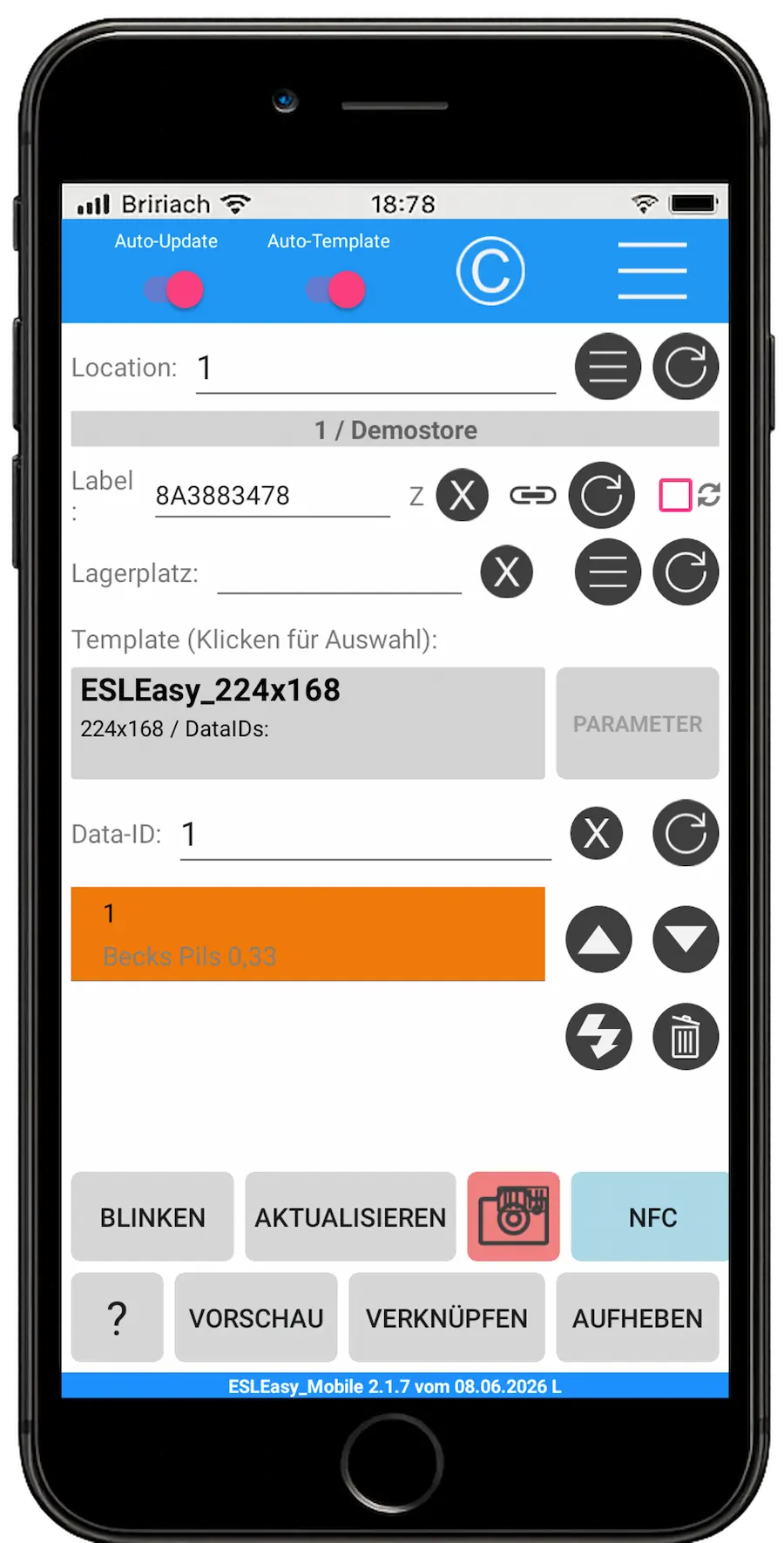
In the app, the label ID is scanned or entered, the location is confirmed, and the label is linked to a product from your inventory system. Tapping "Link" makes the label follow every price change automatically from then on, regardless of location. It can also be made to blink to help you find it on the shelf.
Mixed operation of old and new labels
Stores can be converted step by step: older tags and new labels work in parallel for as long as the rollout takes.
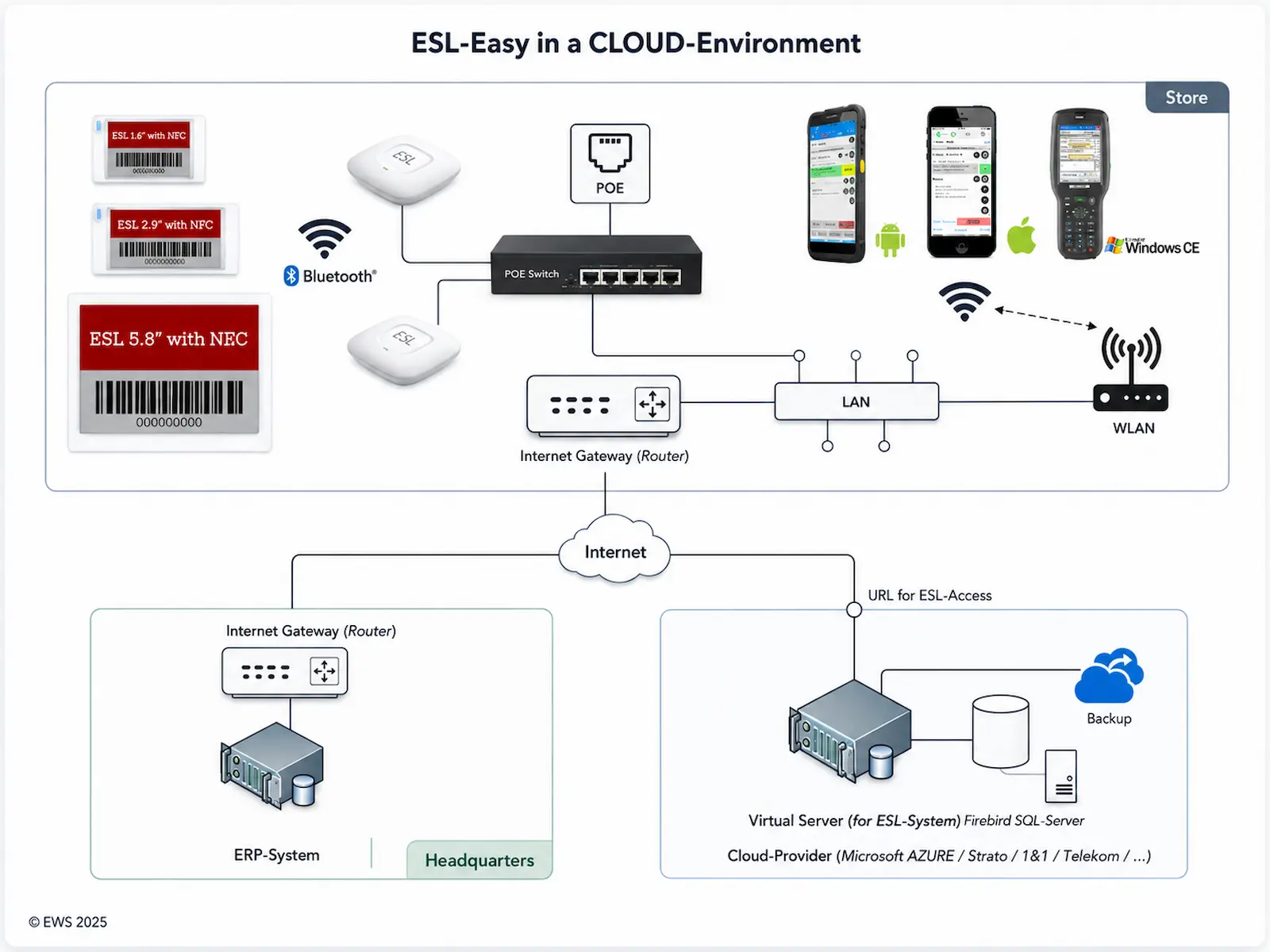
System architecture: store and headquarters
Access points connect the labels to the ESL-Easy server via Bluetooth, any number per location, with automatic selection of a suitable access point and, depending on network and hardware configuration, failover. A central installation can also manage a large number of locations.
Show diagram
Integration with your inventory system
ESL-Easy reads item and price data from your existing inventory management system, whichever way suits your system: file import when only an export is possible; a realtime request on every price change for the freshest data; or a request at fixed intervals. No additional duplicate data entry or system change is required. How up to date the displayed data is depends on the connected ERP system, the chosen interface and the available network connection.
Show diagram